
GTA III – Definitive
Screenshots
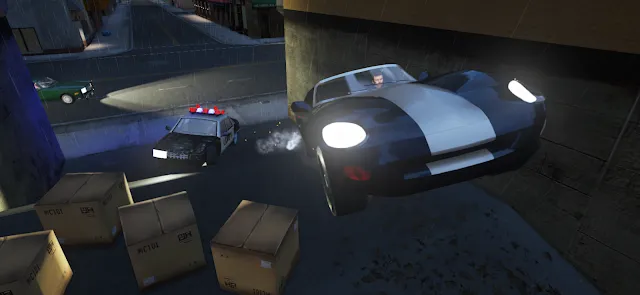
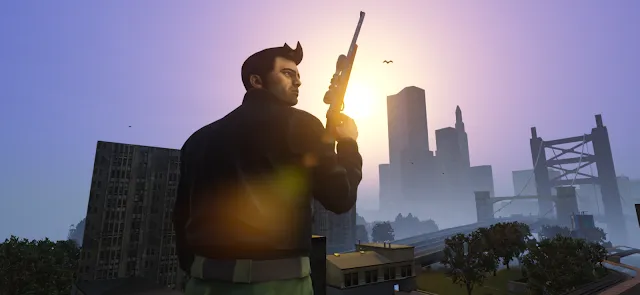
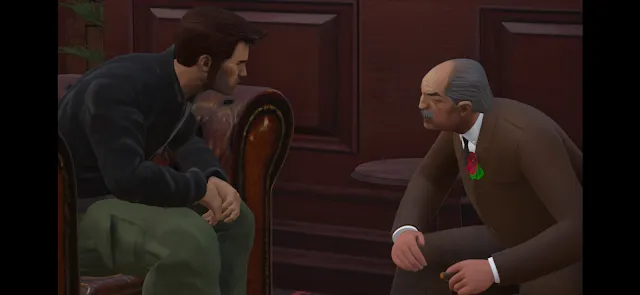
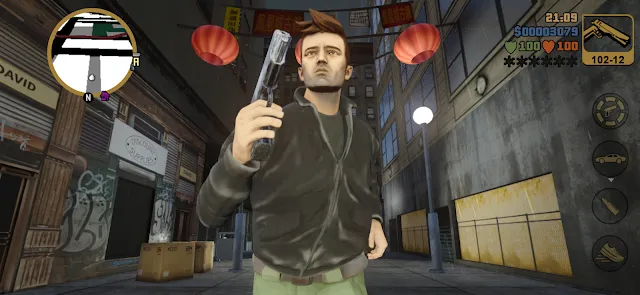
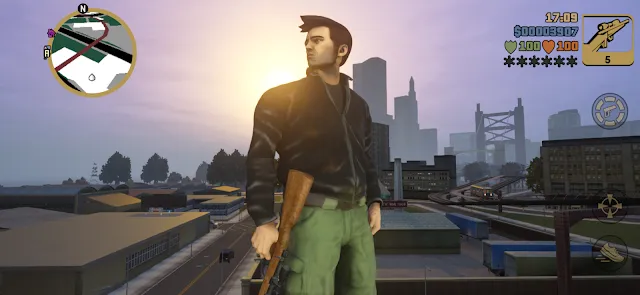
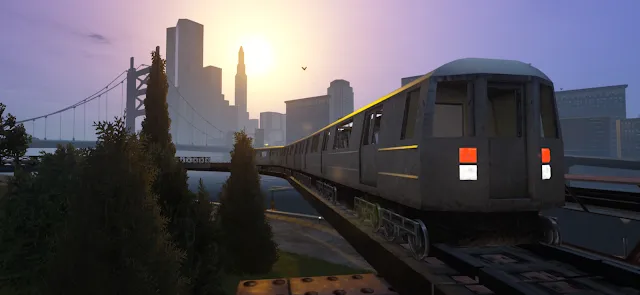
GTA III – Definitive introduces a classic open-world experience to your mobile screen. This updated version revives the iconic 2001 title with modern enhancements. Players can now revisit Liberty City on their portable devices. The game offers updated visuals and improved mechanics. Therefore, old fans and new players will find something to enjoy. You get to explore a massive, gritty metropolis right in your pocket. The gameplay remains highly engaging and chaotic. Furthermore, the controls feel tailored for mobile play. Let us dive deep into what makes this title special.
You will step into a world filled with danger, crime, and opportunity. The city features distinct districts with unique visual styles. Each neighborhood has its own atmosphere and hidden secrets. Consequently, exploration feels rewarding and exciting at all times. You can drive fast cars, escape the police, and complete major criminal tasks. This version combines nostalgia with modern convenience seamlessly.
Why GTA III – Definitive Changes Mobile Gaming
Mobile players often look for deep, immersive experiences on the go. GTA III – Definitive fulfills this desire perfectly. The game rebuilds a classic world with incredible attention to detail. Consequently, the city feels more alive than ever before. You can drive through diverse neighborhoods and trigger wild police chases.
Moreover, the modern lighting system alters the entire atmosphere. The night streets glow with realistic neon reflections. Rain looks convincing and pools on the asphalt. Because of these changes, the game rivals many modern mobile releases. Players do not just play a port; they experience a true remaster.
The developers also added a modern controller layout. This addition makes targeting enemies much simpler. For this reason, gunfights feel smooth and rewarding. You can easily switch weapons during intense moments. Therefore, combat feels fast and modern.
Additionally, the user interface looks incredibly clean. The mini-map gives precise directions during difficult missions. You will rarely get lost in the crowded streets. This design choice removes unnecessary frustration from the gameplay. It shows that mobile gaming can match console quality.
The Gripping Story of Liberty City
The narrative begins with a dramatic betrayal during a bank heist. Your character, Claude, escapes custody and seeks ultimate revenge. He starts at the bottom of the criminal underworld. Consequently, you must work for various rival gangs to climb the ladder. Each mafia boss gives you unique, dangerous missions.
First, you work for the Leone crime family in Portland. This industrial area features tight streets and shady docks. Then, you unlock Staunton Island with its massive skyscrapers. Finally, you reach Shoreside Vale, a suburban landscape with a massive airport.
The story introduces memorable characters along the way. For example, you meet corrupt police officers and intense gang leaders. The voice acting remains excellent and retains its original charm. Therefore, you stay invested in Claude’s journey from start to finish. Every mission pushes the plot forward naturally.
Furthermore, the cutscenes benefit from new camera angles. The dramatic moments feel more cinematic and engaging. You can understand the characters’ motivations clearly. This narrative depth sets it apart from simple mobile arcade games. You are experiencing a premium crime epic.
Graphic Upgrades in GTA III – Definitive
Visual fidelity received a massive upgrade in GTA III – Definitive. The development team completely overhauled the original textures. Now, buildings show clear brick patterns and realistic wear. Characters look sharper with improved facial features and smoother animations.
Furthermore, the draw distance is significantly longer now. In the original version, fog hid distant structures. However, you can now see across the entire river clearly. This improvement makes Liberty City feel truly massive and interconnected. Vehicles also look polished with high-resolution paint finishes.
The environmental effects create a deeply atmospheric world. Shadows move dynamically based on the sun’s position in the sky. Additionally, car headlights cast realistic beams across dark alleys. These visual elements combine to create a stunning mobile presentation. You will love just driving around to look at the sights.
Water surfaces also look much better in this version. The rivers reflect the sky and surrounding buildings realistically. Foliage like trees and bushes have more detail. Consequently, the entire map feels less robotic and more organic. These upgrades breathe new life into a twenty-year-old classic.
Master the New Touchscreen Controls
Playing a complex action game on a mobile screen requires precise controls. Luckily, the developers optimized the interface for touch devices. The screen features a virtual analog stick for seamless movement. On the right side, context-sensitive buttons appear when needed.
For instance, a car icon appears when you stand near a vehicle. Tap it, and Claude instantly steals the automobile. When driving, separate pedals handle acceleration and braking. You can also choose between button steering or a virtual wheel. Consequently, driving through heavy traffic feels responsive and fun.
The combat interface utilizes an intuitive tap-to-lock targeting system. You simply tap an enemy to aim your weapon automatically. Then, you can press the fire button to eliminate the threat. This system reduces frustration during chaotic shootouts. Therefore, you can focus on strategy rather than fighting the camera.
Moreover, you can customize the button layout in the settings menu. You can resize icons or move them to preferred screen locations. This flexibility helps players with different device sizes. It ensures maximum comfort during long gaming sessions. You can truly play the way you want.
How to Install GTA III – Definitive Smoothly
Getting GTA III – Definitive onto your device requires a few simple steps. First, you must check your device storage capacity. The high-resolution assets require a significant amount of free space. Therefore, clear out old files before starting the download. A clean device ensures a much faster installation process.
Next, look for a reliable file on a secure platform. Download the package directly to your mobile phone. Before opening the file, adjust your security settings. You must allow installations from unknown sources in your settings menu. This step is completely standard for external files.
Then, locate the downloaded file in your file manager. Tap the icon to begin the automated setup wizard. The installation should finish within a few minutes. Finally, launch the game and accept the necessary permissions. Now, you are ready to rule the streets of Liberty City.
If you experience a black screen, restart your device immediately. Sometimes the system needs a fresh boot to load textures properly. Also, close all background processes to free up system memory. This practice guarantees the best possible performance. Your game will run smoothly without any annoying crashes.
Crucial Gameplay Tips for Success
Surviving the criminal underworld requires smart tactics and preparation. Liberty City presents dangers around every single corner. Therefore, you should always keep a close eye on your health bar. You can restore your health by picking up glowing heart icons. Alternatively, parking a damaged car in your safehouse garage repairs it completely.
Here is a list of useful strategies to keep in mind:
- Always visit the weapon store to buy body armor before big missions.
- Collect the hidden packages scattered across the three main islands.
- Complete paramedic and firefighter side missions for permanent gameplay rewards.
- Use paint shops to lose intense police heat instantly.
Furthermore, do not rush through the main story content immediately. Take time to explore hidden alleyways and rooftops. You will find secret weapons, body armor, and extra cash. These items make the difficult story missions much easier to handle.
You should also save your progress frequently at your safehouse. The game features an autosave system, but manual saves offer better security. You do not want to lose your hard-earned progress after a failed mission. Planning ahead will save you a lot of time and effort.
Conclusion
GTA III – Definitive successfully modernizes a legendary gaming experience for mobile devices. The enhanced graphics and refined controls breathe new life into Liberty City. Consequently, the chaotic gameplay feels incredibly fresh and rewarding today. The dark storyline and memorable missions will keep you entertained for hours. If you love classic open-world action, this title belongs on your storage drive. Grab your file and start your criminal empire right now.